The Bulk Review Leads feature is designed to streamline your self-sourcing workflow in Fetcher by allowing you to quickly evaluate multiple candidates at once.
This feature is available in:
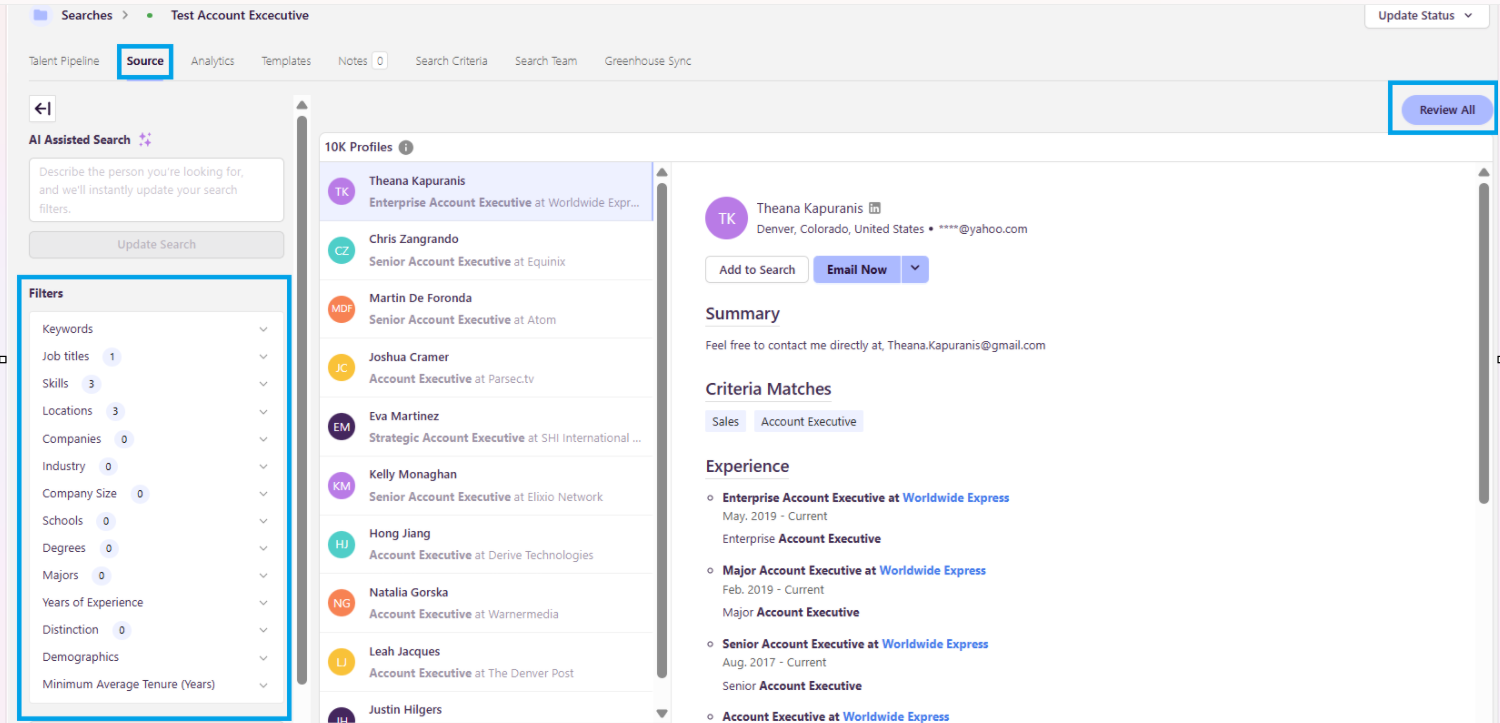
The Source tab within your Fetcher searches
The Chrome Extension (Profiles tab and Search Tips)
Bulk Review uses your saved search criteria in the source tab filters to automatically assess and rank candidates, allowing you to quickly identify the most relevant profiles.
How Candidate Review Works
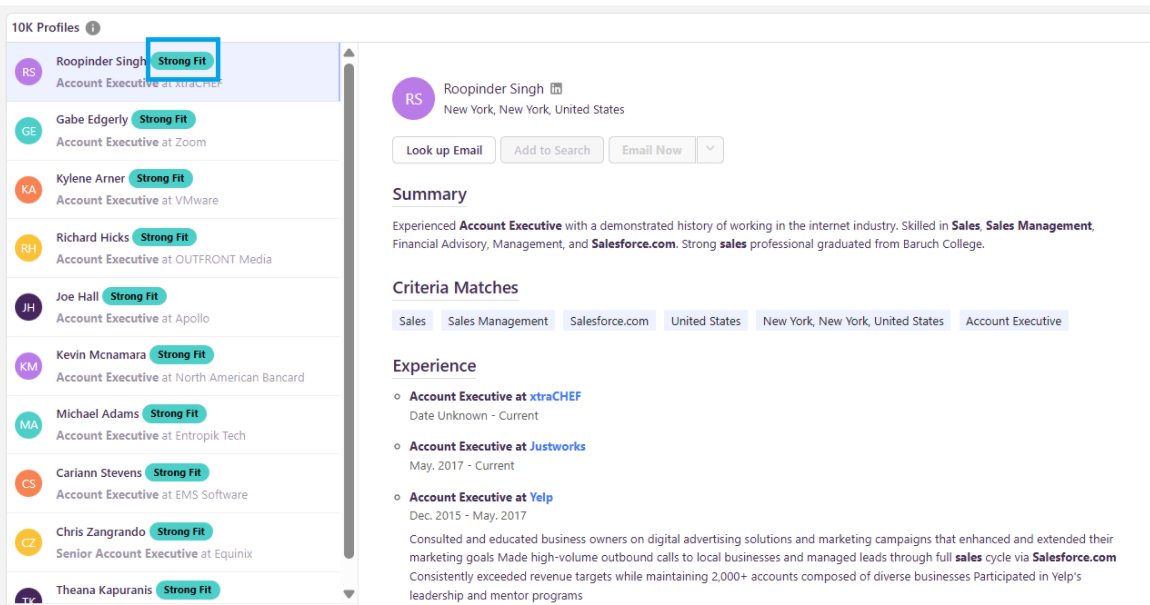
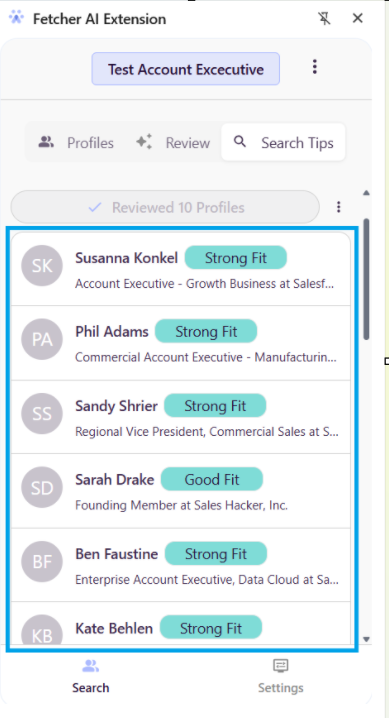
Fetcher evaluates candidates and assigns one of the following fit categories:
🟢 Strong Fit – Highly aligned with your search criteria
🔵 Good Fit – Meets most key requirements
🟠 Uncertain Fit – Partial alignment; may require review
🔴 Unlikely Fit – Does not meet core criteria
Using Bulk Review in the Source Tab (Inside Fetcher)
Navigate to your Search
Go to the Source tab
Ensure your filters and criteria are set
Click the “Review All” button (top right corner)
What happens next:
Fetcher evaluates candidates based on your filters
Candidates are ranked 10 at a time (per page)
You can quickly scan and take action on each group
This allows you to efficiently move through large candidate pools with minimal manual effort.
Using Bulk Review in the Chrome Extension
1. Profiles Tab (Fetcher Database)
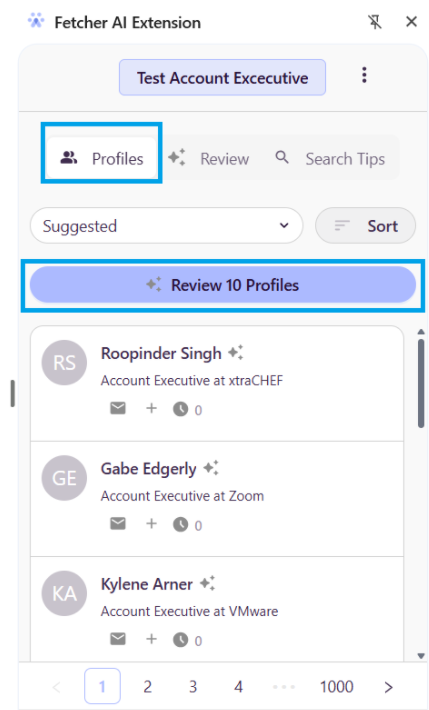
Navigate to the Profiles tab in the extension
Click “Review 10 Profiles”
What this does:
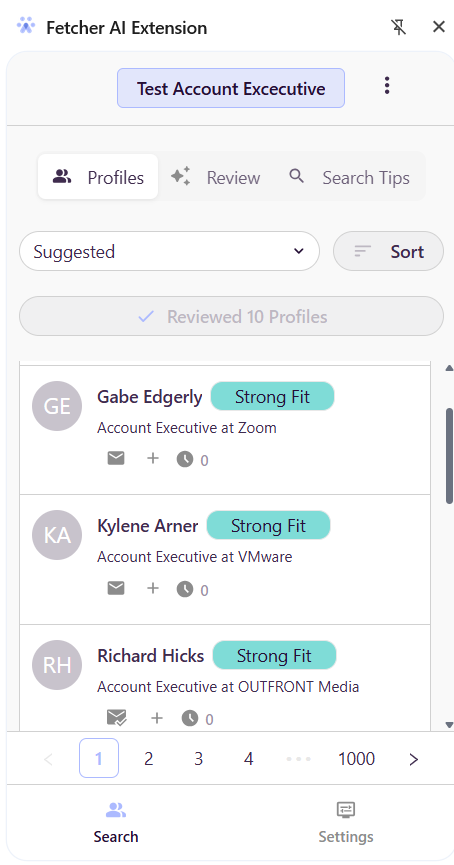
Reviews 10 candidates at a time
Uses criteria defined in your Fetcher search sourced tab filters.
Enables quick skimming and decision-making
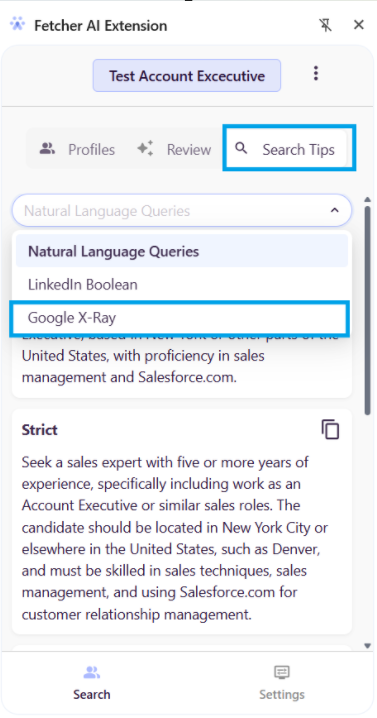
2. Search Tips (Google X-Ray Sourcing)
The Search Tips tab allows you to source candidates via Google X-Ray searches.
Steps:
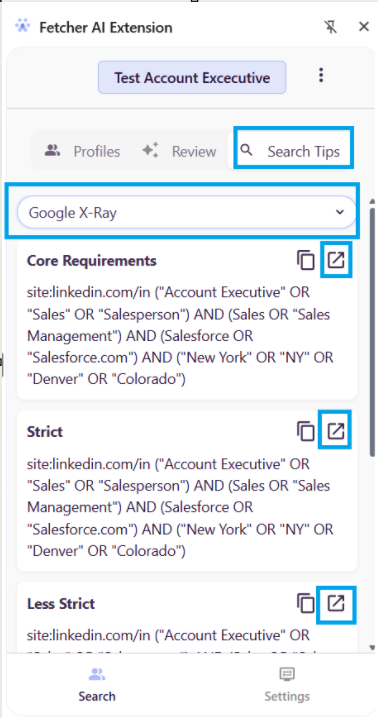
Navigate to Search Tips in the extension and filter Google X-Ray Select a search type:
Core Requirements
Strict
Less Strict
Expanded
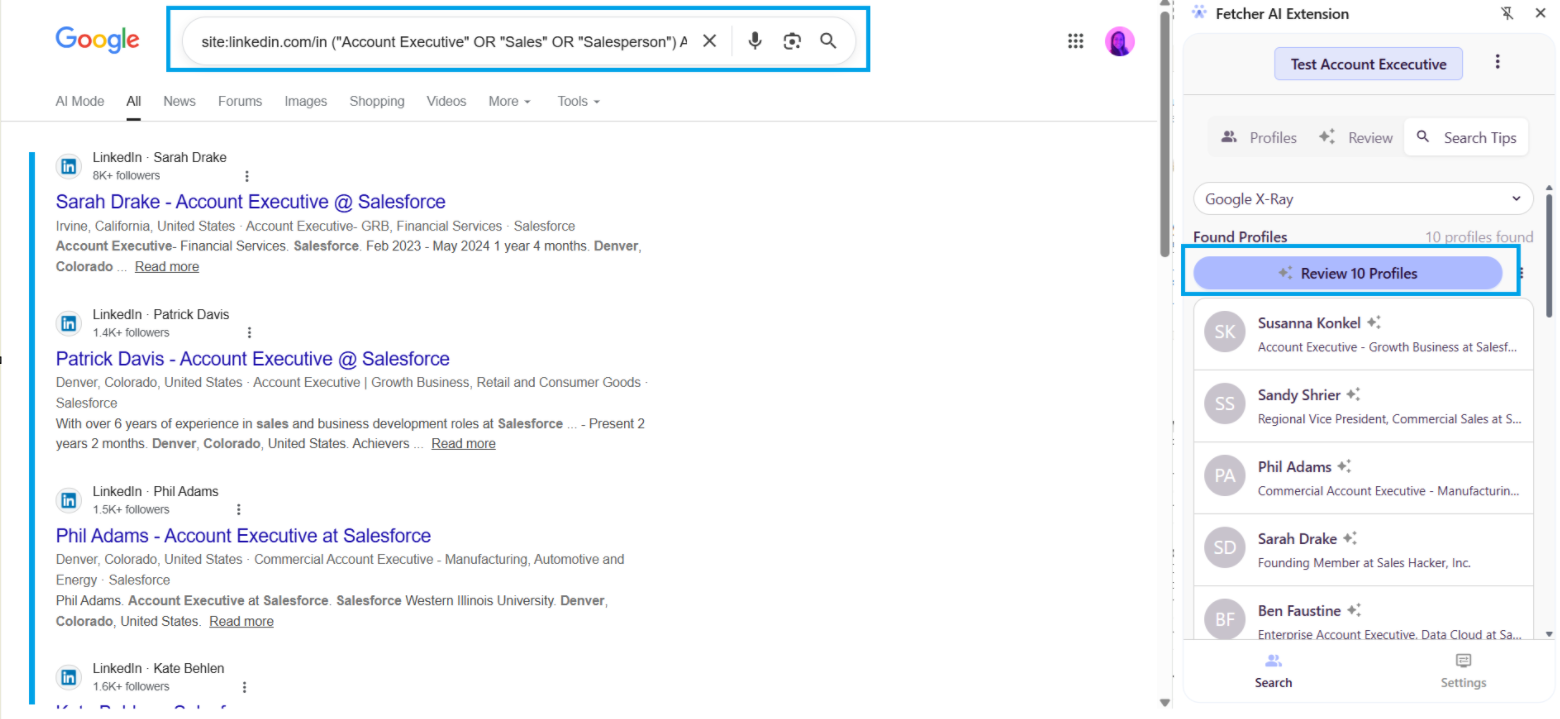
Click the open icon
Fetcher scans and surfaces candidates inside Google with the selected filter.
Review top 10 candidates at a time
Key Benefits
Faster candidate review – Evaluate multiple profiles at once
Consistent screening – AI-driven ranking based on your criteria
Improved efficiency – Reduce manual review time
Seamless workflow – Works across platform and extension
Best Practices
Ensure your sourced tabfilters are well-defined before using bulk review
Start with Strong Fit and Good Fit candidates for outreach
Use Search Tips (X-Ray) to expand your talent pool
Regularly refine your filters to improve ranking accuracy
 Updated
by
Support Team
Updated
by
Support Team